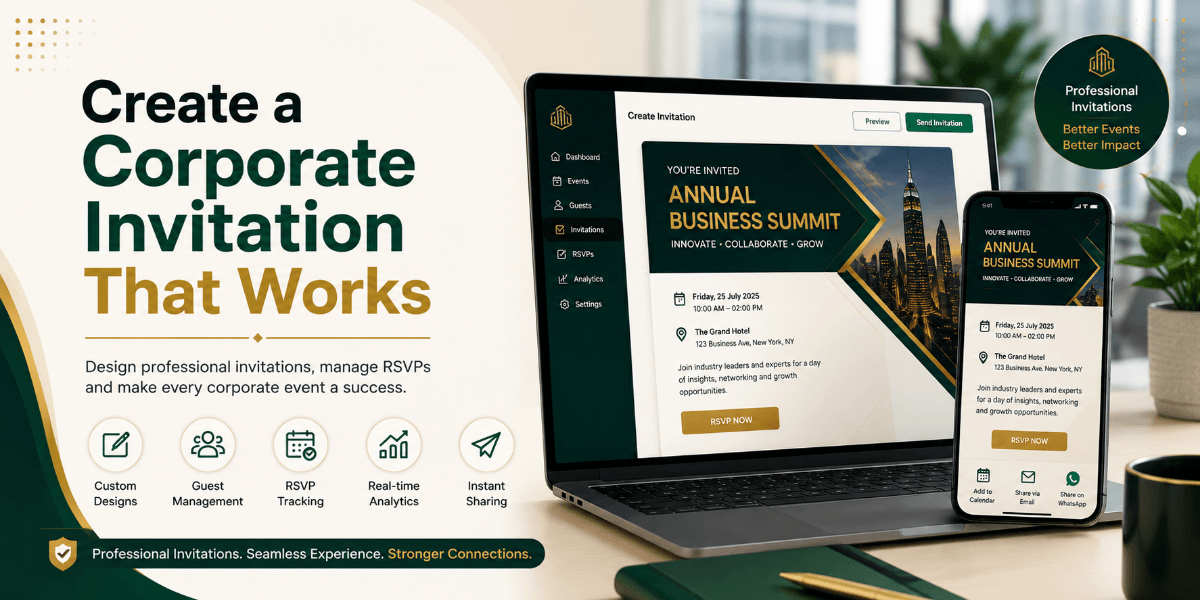
Create a Corporate Invitation That Works
A corporate event invitation needs to look professional, but that does not mean it has to be complicated. Whether you are organizing a company conference, networking event, annual celebration, team gathering, product launch, workshop, or corporate meeting, the invitation is often the first impression guests receive.
Start With the Purpose of the Event
Identify the purpose of the event before designing the invitation. A formal executive meeting requires a different style from a creative company celebration.
Use Professional Branding
Use appropriate company branding such as the company logo, brand colors, typography, and suitable imagery. Avoid filling the entire invitation with branding elements because event information should remain the focus.
Include the Essential Information
A corporate invitation should clearly communicate the event name, date, time, venue, audience, purpose, and RSVP or registration instructions when required.
Make the Event Details Easy to Scan
A structured format helps busy guests find important information quickly. Use short sections, clear headings, and sufficient spacing.
Add an Agenda When Useful
For conferences, workshops, and business events, a short agenda can be valuable. Highlight the major sessions instead of filling the invitation with unnecessary details.
Include RSVP Information
Corporate events often require accurate attendance numbers. An RSVP process can help organizers plan seating, catering, badges, materials, transportation, security, and venue capacity.
Consider Digital Invitations
Digital invitations can make corporate communication easier by allowing organizations to share event details electronically and manage guest responses.
Add Location Information
Include the venue name, address, city, and relevant room or entrance information where necessary.
Think About Mobile Users
The invitation should work well on mobile screens. Use readable text, clear buttons, short sections, strong contrast, and responsive design.
Send Reminders
Reminders can help guests remember the event date, venue, RSVP deadline, and registration instructions.
Plan for Large Events
For larger events, guest management becomes increasingly important. Conferences and corporate gatherings may require registration, RSVP tracking, digital passes, and check-in.
Keep the Tone Professional
Keep the language professional and aligned with the company's brand. Avoid overly casual wording unless the event itself is informal.
Test Everything Before Sending
Test the company name, logo, date, time, venue, registration details, RSVP information, contact details, spelling, mobile layout, and interactive elements before sending the invitation.
A Simple Corporate Invitation Workflow
A simple workflow is: define the event, identify the audience, collect details, create the invitation, add RSVP, review, test on mobile, send, track responses, and prepare check-in.
Final Thoughts
A professional corporate event invitation should be clear, branded, mobile-friendly, and easy to respond to. The best invitation is not necessarily the most decorative one. It is the one that gives guests the right information at the right time and makes the next step obvious.
FAQ
What should a corporate event invitation include?
Include the event name, purpose, date, time, venue, audience, RSVP or registration instructions, and contact information where relevant.
Should a corporate invitation include the company logo?
Appropriate company branding can make the invitation feel official and consistent with the organization.
Can corporate invitations be sent digitally?
Yes. Digital invitations can be distributed electronically and connected with event-management workflows.
Should a corporate event have an RSVP?
If organizers need to plan attendance, catering, seating, registration, or capacity, collecting RSVPs can be useful.
Can QR codes be used for corporate event check-in?
Yes. QR-based check-in can help organize entry at larger corporate events.