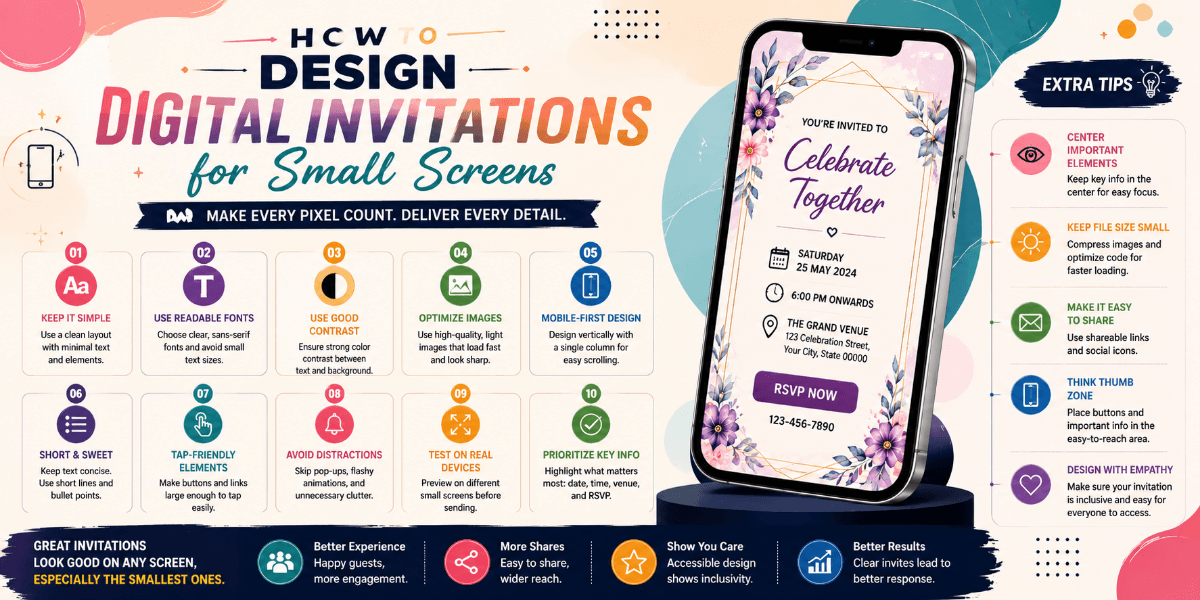
How to Design Digital Invitations for Small Screens
Most digital invitations are viewed on smartphones, which means the design needs to work well within a limited screen area. A beautiful invitation can lose its impact if guests have to zoom, scroll excessively, or search for basic information.
Start With a Mobile-First Layout
Design the invitation around the smaller screen first rather than creating a large desktop design and trying to reduce it later. A simple vertical structure can make the content easier to follow on phones.
Keep the Main Message Clear
The event name, names of the hosts or guests of honor, and the main invitation message should be immediately noticeable. Avoid placing too many decorative elements around the primary information.
Choose Readable Typography
Small text may look acceptable on a large monitor but become difficult to read on a phone. Use clear font sizes, comfortable line spacing, and strong contrast for important event details.
Use Images Carefully
Large photographs can create a strong visual impression, but they should not push essential information too far down the page. Choose images that support the invitation rather than taking attention away from the event details.
Make Sections Easy to Scan
Break information into short sections such as event details, venue, schedule, RSVP, and additional information. Clear spacing helps guests quickly locate what they need.
Keep Interactive Elements Comfortable
Buttons and other interactive elements should have enough space around them to make them easy to tap. Avoid placing multiple actions too close together.
Test Before Sharing
View the invitation on different phone sizes before sending it to guests. Check text, images, spacing, buttons, location information, and every important section.
Final Thoughts
A mobile-friendly digital invitation should feel effortless to read and use. Clear hierarchy, readable typography, thoughtful spacing, and well-placed visuals can help create a better guest experience.
FAQ
Why should digital invitations be mobile-friendly?
Guests often view invitations on smartphones, so mobile-friendly design makes event information easier to read and access.
What should be tested on a mobile invitation?
Check typography, images, spacing, buttons, event details, location information, and interactive elements on different screen sizes.