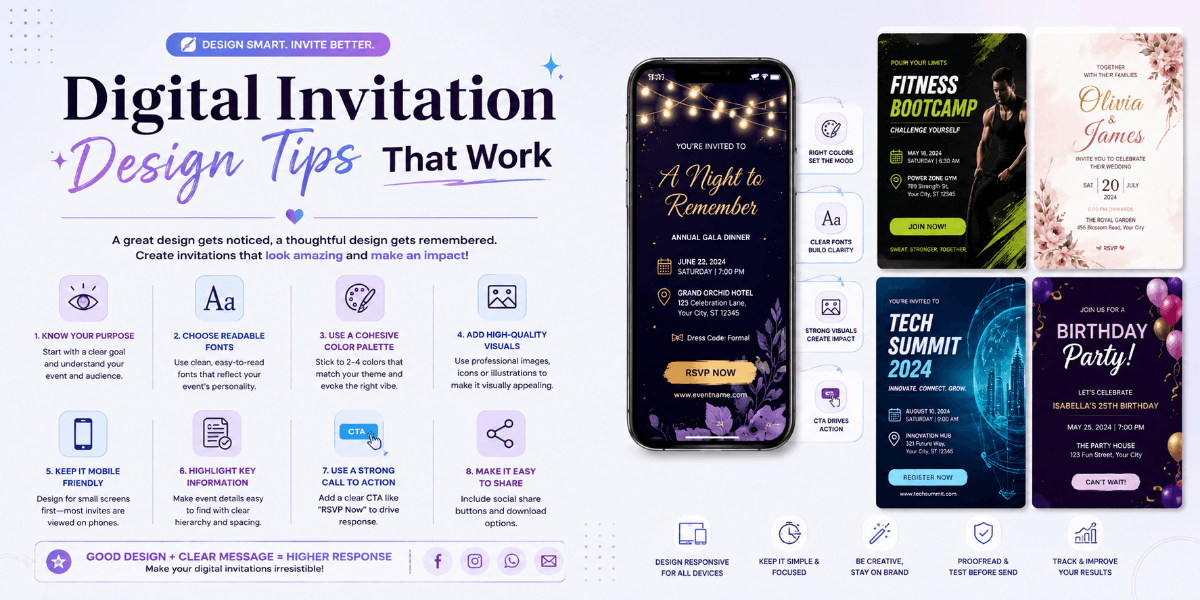
Digital Invitation Design Tips That Work
A digital invitation should do two things well: look attractive and communicate important event information clearly. A beautiful design is useful only when guests can easily understand the event details and know what to do next.
Start With One Clear Design Direction
Before adding colors, photos, or decorative elements, decide on the overall visual style.
- Minimalist
- Elegant
- Modern
- Traditional
- Colorful
- Luxury
Choose Readable Typography
Typography has a major effect on digital invitation readability. Use decorative fonts carefully and make sure important information uses a clear, readable typeface.
Use Font Hierarchy
Your event name, main heading, date, and other information should have different visual levels. This helps guests scan the invitation quickly.
Use Colors With Enough Contrast
Beautiful colors are important, but readability should come first. Text should remain clearly visible against the background on both desktop and mobile screens.
Don't Overload the Invitation
Too many fonts, colors, animations, photographs, icons, and decorative elements can make an invitation difficult to understand.
Keep the design focused on the event and remove anything that does not improve the guest experience.
Use High-Quality Images
If you include photographs, make sure they are clear and properly cropped. A single strong photograph can often have more impact than several unrelated images.
Make Event Details Easy to Find
Important details should not be hidden inside decorative sections.
- Event name
- Date
- Time
- Venue
- Address
- RSVP
- Special instructions
Design for Mobile First
Many digital invitations are viewed on smartphones. Make sure the layout works well on smaller screens and that guests do not need to zoom in to read important information.
Use Internal Event Links Carefully
If your website has separate pages for different event types, relevant invitation keywords can link to those pages naturally.
For example, a wedding-related article can link the phrase wedding invitation to the wedding page, while a birthday article can link birthday invitation to the birthday page.
This creates a useful connection between blog content and your main event pages.
Add Useful Interactive Features
Depending on the event, digital invitations may include RSVP, event information, photographs, location details, countdowns, registration, or guest-management features.
Test Before Publishing
Always check the invitation on different screen sizes. Verify the text, dates, venue, links, images, buttons, and RSVP functionality before sharing it with guests.
Final Thoughts
Effective digital invitation design is about balance. Combine attractive visuals with readable typography, clear event information, mobile-friendly layouts, and useful features.
The goal is simple: create an invitation that looks great and makes the guest experience easier.
FAQ
What makes a good digital invitation?
A good digital invitation combines attractive design, readable text, clear event details, mobile responsiveness, and useful interactive features.
Why is mobile design important?
Many guests view digital invitations on smartphones, so the design should remain readable and easy to navigate on smaller screens.
How many fonts should a digital invitation use?
Using a small number of complementary fonts usually creates a cleaner and more professional design.
Can digital invitations help website SEO?
The invitation itself is primarily for guests, but related blog content can use relevant internal links to connect readers with important event pages.