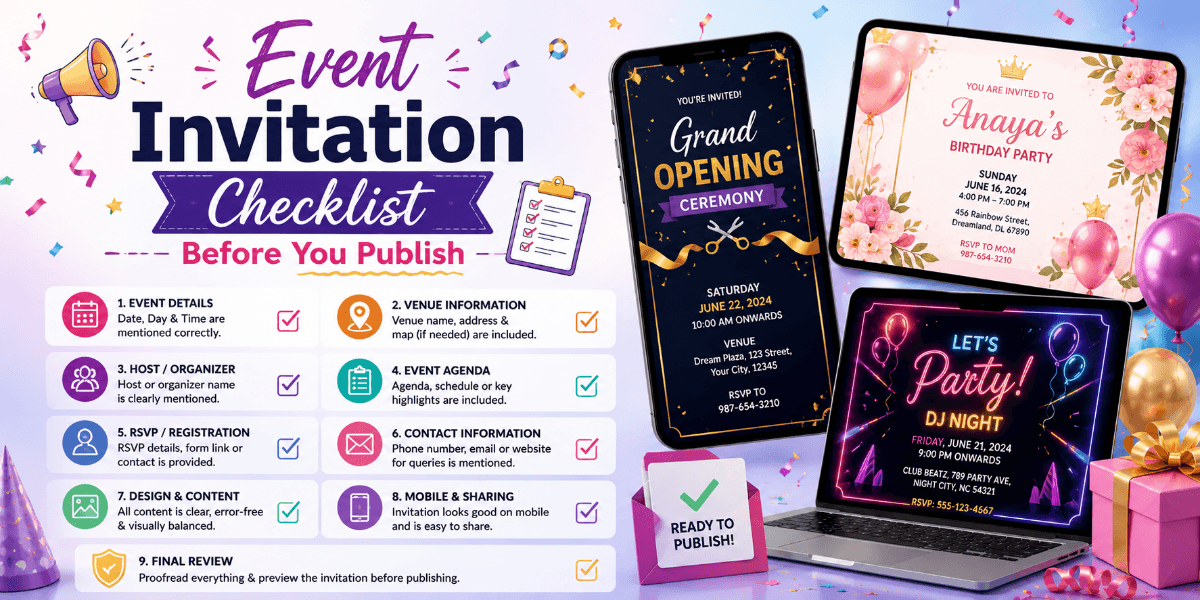
Event Invitation Checklist Before You Publish
A small mistake in an event invitation can create confusion for guests. A missing date, incorrect venue, broken RSVP link, or unreadable mobile layout can affect the entire guest experience.
Before publishing or sharing your invitation, use a simple checklist to review every important element.
Check the Event Name
Make sure the event name is correct, easy to understand, and consistent with your other event materials.
Verify the Date and Time
Double-check the event date, start time, end time, and any separate session timings.
Review the Venue Information
Check the venue name, complete address, city, and any room or entrance information guests may need.
Check the Guest Instructions
If guests need to follow a dress code, bring specific items, arrive early, or complete registration, make those instructions clear.
Test RSVP
Before publishing, test the RSVP process yourself. Make sure guests can submit their response and that the information is being recorded correctly.
Review the Design
Look at the invitation as a guest would. Check spacing, typography, colors, images, buttons, and section order.
Check Mobile Readability
Open the invitation on a smartphone-sized screen. Important information should remain readable without zooming or excessive scrolling.
Review All Images
Make sure images load correctly, are high quality, and are properly cropped. Avoid using images that make important text difficult to read.
Check Internal Links
If the invitation or supporting blog content contains links to relevant event pages, make sure every link points to the correct destination.
For example, content about wedding celebrations can naturally link to our wedding invitation page, while birthday-related content can link to the birthday invitation page.
Review the Final Guest Journey
Ask yourself what happens after a guest opens the invitation. Can they immediately understand the event? Can they find the location? Can they RSVP without confusion?
Final Publishing Checklist
- Event name checked
- Date and time verified
- Venue verified
- Guest instructions reviewed
- RSVP tested
- Images checked
- Links tested
- Mobile layout reviewed
- Spelling checked
- Final preview approved
Final Thoughts
A reliable event invitation checklist helps prevent small mistakes from becoming guest problems. Review the event details, design, RSVP, links, images, and mobile experience before publishing.
A few minutes of testing can make the final invitation much more professional and easier for guests to use.
FAQ
What should I check before publishing an event invitation?
Check the event name, date, time, venue, instructions, RSVP, images, links, spelling, and mobile layout.
Why should I test an invitation on mobile?
Many guests open digital invitations on smartphones, so mobile readability is essential.
Should I test the RSVP before sending the invitation?
Yes. Testing helps ensure guests can submit their responses successfully.
Why should invitation links be checked?
Broken or incorrect links can prevent guests from reaching event information, registration, or RSVP pages.