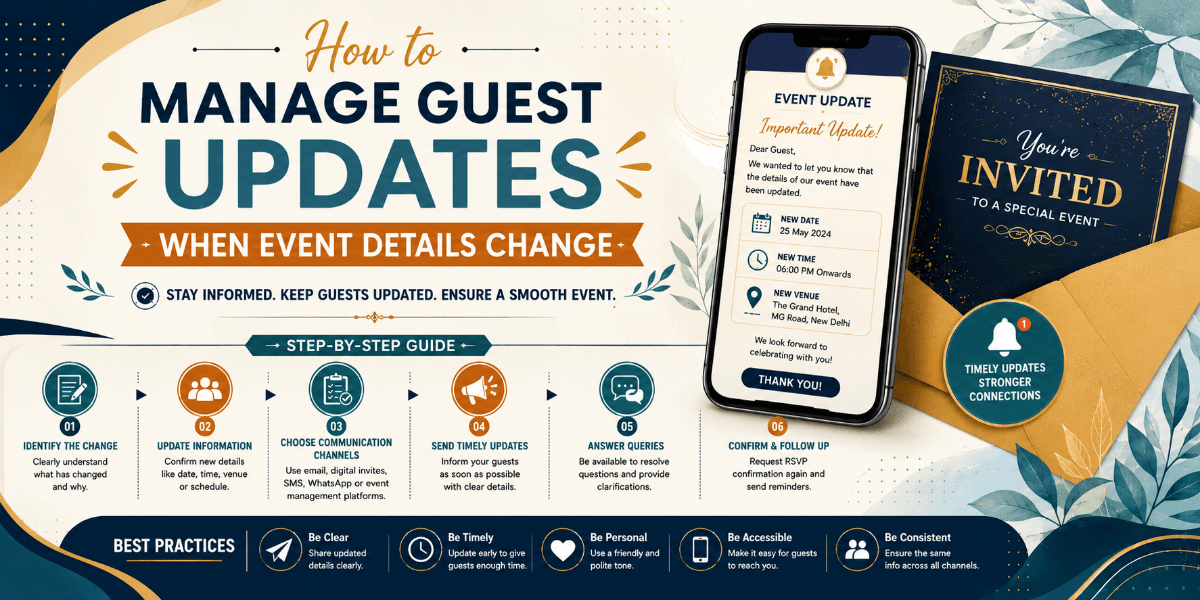
How to Manage Guest Updates When Event Details Change
Event plans can change even after invitations have been shared. A venue may change, the timing may move, or an important instruction may need to be updated. Managing these changes clearly helps prevent guests from arriving with outdated information.
Identify What Has Changed
Start by identifying the exact information that needs to be updated. Separate major changes such as a new venue or date from smaller updates such as parking instructions or schedule adjustments.
Communicate Important Changes Quickly
Do not wait until the last moment when a change could affect travel or attendance. Guests should receive important updates as soon as the new information is confirmed.
Make the New Information Obvious
Avoid sending a long message where guests have to compare old and new details themselves. Clearly state what changed and provide the latest information in an easy-to-scan format.
Keep One Current Version of the Event Details
Multiple versions of event information can create confusion. A central digital event page or updated invitation can help guests access the latest details instead of relying on older messages.
Think About Guests Who Already Confirmed
Guests who have already RSVP'd may be especially important to update. Make sure people who have confirmed attendance are aware of changes that could affect their plans.
Update Practical Instructions Too
A venue change may also affect parking, transportation, arrival time, accommodation, or directions. Review related information rather than updating only the headline detail.
Send a Reminder Before the Event
For significant changes, a reminder close to the event can help ensure guests have the correct information when they travel or prepare to attend.
Final Thoughts
Event changes are easier to manage when communication is fast, clear, and organized. Keeping guests connected to one current source of information can reduce confusion and create a smoother event experience.
FAQ
What is the best way to tell guests about an event change?
Communicate the change quickly and clearly, highlighting the new information and explaining anything guests need to do differently.
Should guests receive updates after they RSVP?
Yes. Guests who have already confirmed attendance should receive important updates that could affect their plans.